

Benefits · gear · Updated 2026-10-22
Monitor arm — eye-line and desk reclaim
Get the top of the screen near eye height and free the desk footprint — simple physics. Skip if your laptop stays closed on a proper stand already.
What research and agencies say
-
Lets you match OSHA-style monitor height guidance
OSHA workstation guidance emphasizes monitors at comfortable viewing height/distance—arms make that adjustable when stock stands do not.
OSHA — Computer Workstations eTool (monitors) (2026-10-22)
-
Helps multi-monitor and sit-stand setups stay aligned
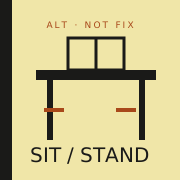
Cornell tips and sit-stand evidence both imply your screen must move with posture changes; a fixed low stand fights the desk you already bought.
Cornell Ergonomics — monitor tips (2026-10-22) · Cochrane — sit-stand desks reduce sitting time (2026-10-22)
-
Reclaims desk surface
Practical purchase-justify: lifting the panel frees keyboard/writing space—honest even without clinical claims.
OSHA — Computer Workstations eTool (monitors) (2026-10-22)
The catch
A cheap arm that droops is worse than a stock stand. Buy rated for your panel weight; cable-manage so the arm can move.
Desk cluster

Who it’s not for
- Monitors without VESA mounts (adapters add cost/risk).
- Ultralight stands that already hit a comfortable height.
- Renters who cannot clamp/grommet safely to the desk.
FAQ
Arm before or after second monitor?
If height is wrong on monitor one, arm first. See /benefits/second-monitor/.
Clamp vs grommet?
Match your desk thickness and edge clearance; check weight ratings.
Who should skip?
Anyone already at a comfortable height with a stable stand.
Sources
- OSHA — Computer Workstations eTool (monitors) — 2026-10-22
- Cornell Ergonomics — monitor tips — 2026-10-22
- Cochrane — sit-stand desks reduce sitting time — 2026-10-22
Affiliate disclosure: product links, when present, may earn a commission. They never buy the verdict. Full ads policy.