
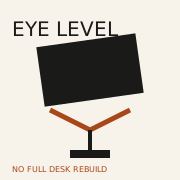
 Raise the screen · photo soon
Benefits · gear · Updated 2026-10-22
a laptop stand
A laptop stand is worth buying when your screen sits too low and you are not ready for a full monitor-arm desk. It raises the display—you still need an external keyboard and mouse for long typing sessions.
What research and agencies say
-
Eye-level viewing is a core workstation tip
OSHA monitor guidance emphasizes comfortable viewing angles—raising a laptop toward eye level reduces constant neck flexion for many setups.
OSHA — Computer Workstations eTool (monitors) (2026-10-22)
-
Ergonomics frames screen height as adjustable
NIOSH office ergonomics framing supports changing the workstation rather than forcing your neck to the laptop.
CDC/NIOSH — Office ergonomics (2026-10-22)
-
Research hubs pair height with separate input devices
Cornell-style workstation tips commonly pair elevated screens with external keyboards—the stand alone is incomplete for heavy typing.
Cornell Ergonomics Web — Computer workplace tips (2026-10-22)
The catch
A stack of books is the proof-of-concept. Buy a stand when you want stable height, airflow, and portability.
Desk cluster
Who it’s not for
- People who only peck emails for five minutes.
- Buyers who refuse an external keyboard.
- Desks that already use a full external monitor at height.
FAQ
Stand vs external monitor?
Monitors win for size and desk permanence; stands are cheaper and portable. See /benefits/second-monitor/.
Do I need a keyboard?
Yes for long sessions—otherwise you type with shoulders shrugged.
Who should skip?
Already-monitor desks and keyboard refusers.
Sources
- OSHA — Computer Workstations eTool (monitors) — 2026-10-22
- CDC/NIOSH — Office ergonomics — 2026-10-22
- Cornell Ergonomics Web — Computer workplace tips — 2026-10-22
Affiliate disclosure: product links, when present, may earn a commission. They never buy the verdict. Full ads policy.